Start your free trial

14 days of Kitetrail, the in-app onboarding, product analytics, session replay and bug capture tool. No card.

Shown on your workspace.

Plan you expect to want

No charge today. Choose or change your plan after your 14-day trial. Prices are plus applicable taxes.

Every product feature for 14 days: 2,500 monthly active users, 5 seats, 500 session replays kept 30 days and 1,000 emails. No card.

Next, you create your sign-in. By continuing you agree to the terms and privacy policy. Compare plans

TallyboardProjectsReportsTeam
Projects3 active
Spring launch12 tasksImport CSVBring projects in from a spreadsheetWebsite refresh7 tasks
Bring your projects inImport a spreadsheet and your board fills itself. Takes a minute.Step 2 of 3Next
Get set up2 of 4 doneCreate a projectName your boardImport your dataInvite a teammate
Your first hour ends with a guide like this one: an example of an in-app welcome tour.

Your first hour

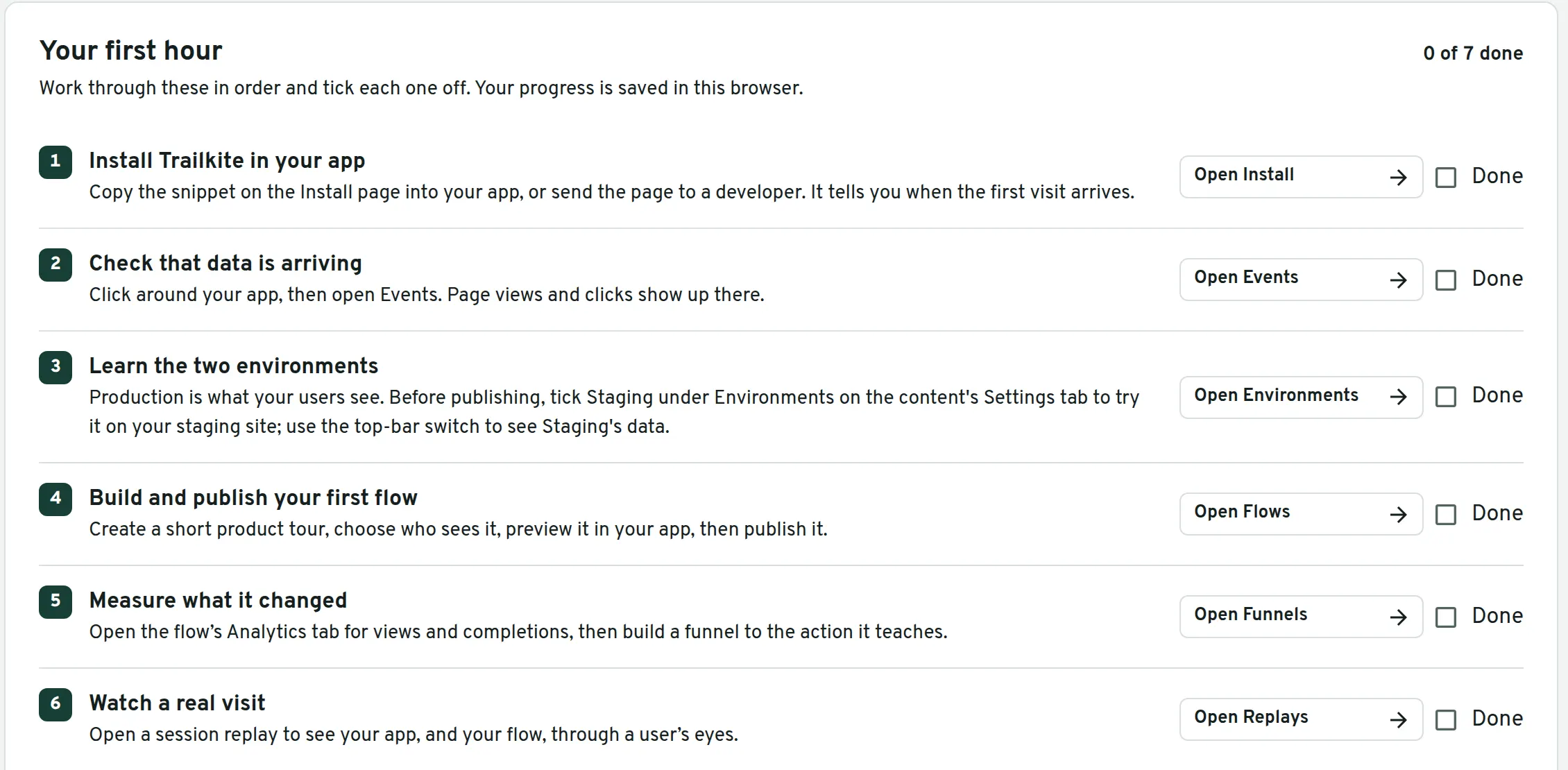
  1. Create your sign-in. Your workspace opens on Start here, with this list.
  2. Add one snippet to your app. Clicks, pages and replays start arriving; private text is masked.
  3. Build and publish your first flow with the Chrome extension.
  4. Watch a real visit through your users' eyes.
  5. Before day 14, subscribe to the plan you want, or let the trial end. Nothing is charged until you subscribe.
The Your first hour checklist on Kitetrail's Start here page: install Kitetrail in your app, check that data is arriving, learn the two environments and build and publish your first flow, each with an Open button and a Done box.
The checklist waiting in your workspace. Sample workspace.

Everything works together

Set up your workspace, guide users, measure adoption, watch sessions and fix problems. Each part connects to the next, with everything in one place.
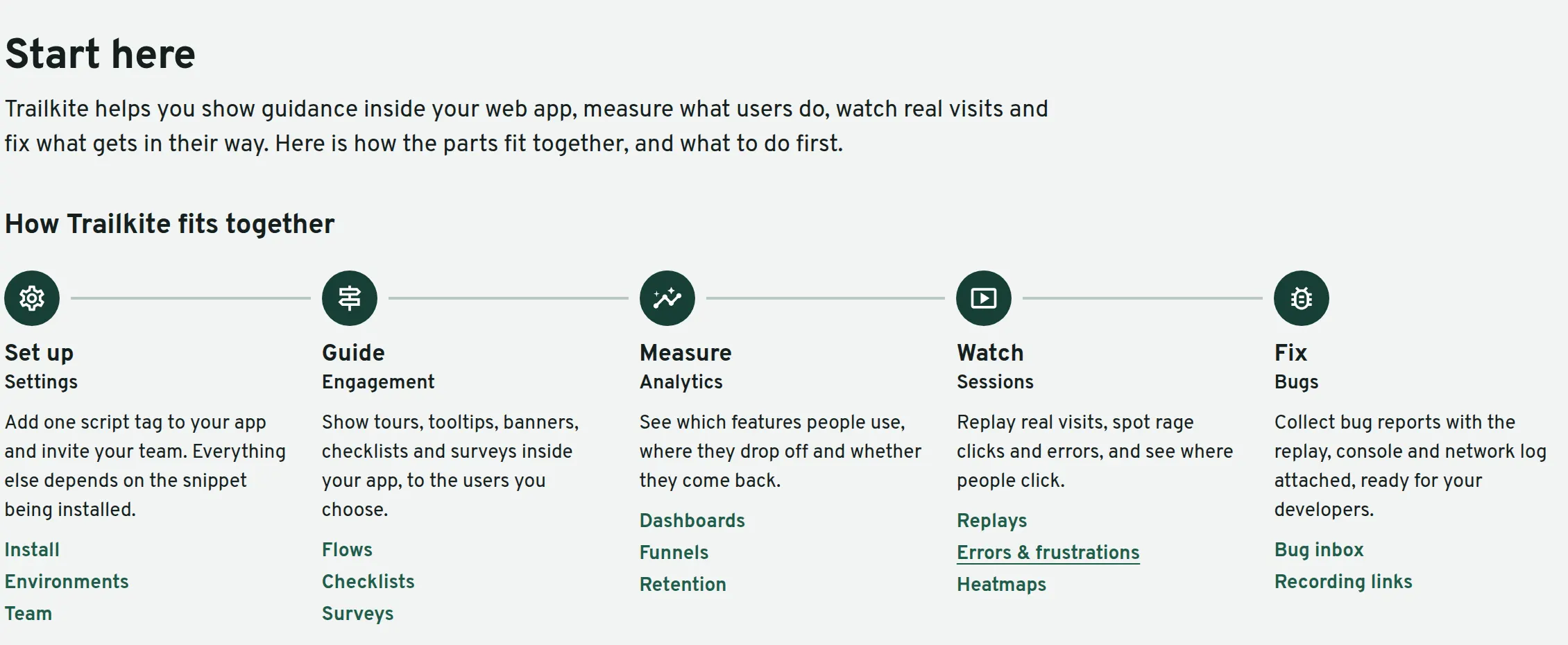
How Kitetrail fits together, from the Start here page: Set up, Guide, Measure, Watch and Fix, each with what it does and links to its screens.